
Best Parental Control App for 2026: Side-by-Side Editorial Review

If you’re dealing with late-night scrolling, worries about risky texts or social media messages, and the recurring expense of replacing a phone plan or device after problems spiral — you’re not alone. Most parents know their child’s digital life needs attention, but with dozens of parental control app options on the market all claiming to work, it’s hard to know what actually delivers.
We spent weeks researching 12+ parental control apps, analyzing hundreds of customer reviews, and comparing the monitoring systems, alert logic, and device-control features behind each product. These are the 3 that consistently deliver real results — and our #1 pick uses AI-powered content and conversation monitoring across texts, apps, and social platforms that none of the others offer.
- Independent Reviews
- No Sponsored Rankings
Our rankings reflect editorial judgment based on research, product positioning, and typical use cases. Different products may be better suited to different needs, conditions, or budgets.
Quick Comparison
| Editor's Choice #1 Bark | #2 Troomi | #3 Gabb Phone | |
|---|---|---|---|
| Our Rating | ★★★★★ | ★★★★☆ | ★★★★☆ |
| Typical Price | $29 – $104 | $249 – $649 | $149 – $169 |
| Monitors texts, email, and social platforms for safety risks | Included | Partial | Limited |
| AI alerts for bullying, predators, self-harm, and explicit content | Yes | Partial | No |
| Screen time schedules and downtime controls | Yes | Yes | Basic phone controls |
| Location sharing and check-ins | Included | Included | Included |
| Works for mixed iPhone and Android households | Yes | Mostly phone-specific ecosystem | No, hardware-first setup |
| Web filtering and app blocking depth | Strong | Moderate | Basic |
| Setup style for a first-phone family | Guided app setup | More involved device migration | Requires switching to a Gabb device |
| Check Availability | See Pricing → | See Pricing → |
Bark
- Our Rating
- ★★★★★
- Typical Price
- $29 – $104
- Monitors texts, email, and social platforms for safety risks
- Included
- AI alerts for bullying, predators, self-harm, and explicit content
- Yes
- Screen time schedules and downtime controls
- Yes
- Location sharing and check-ins
- Included
- Works for mixed iPhone and Android households
- Yes
- Web filtering and app blocking depth
- Strong
- Setup style for a first-phone family
- Guided app setup
Troomi
- Our Rating
- ★★★★☆
- Typical Price
- $249 – $649
- Monitors texts, email, and social platforms for safety risks
- Partial
- AI alerts for bullying, predators, self-harm, and explicit content
- Partial
- Screen time schedules and downtime controls
- Yes
- Location sharing and check-ins
- Included
- Works for mixed iPhone and Android households
- Mostly phone-specific ecosystem
- Web filtering and app blocking depth
- Moderate
- Setup style for a first-phone family
- More involved device migration
Gabb Phone
- Our Rating
- ★★★★☆
- Typical Price
- $149 – $169
- Monitors texts, email, and social platforms for safety risks
- Limited
- AI alerts for bullying, predators, self-harm, and explicit content
- No
- Screen time schedules and downtime controls
- Basic phone controls
- Location sharing and check-ins
- Included
- Works for mixed iPhone and Android households
- No, hardware-first setup
- Web filtering and app blocking depth
- Basic
- Setup style for a first-phone family
- Requires switching to a Gabb device
How We Evaluated These Products See all 4 evaluation criteria Hide evaluation criteria
This page is based on editorial research into product pages, help documentation, app-store feedback, and customer review patterns. There was no lab testing, no independent verification of customer reviews, and ratings reflect editorial judgment.
Monitoring depth across texts, social apps, and online activity
Alert quality and signal-to-noise ratio
Cross-platform coverage for iPhone and Android families
Ease of setup for first-phone households
Why Bark Stands Out
Our editorial team’s top pick for parental control app.
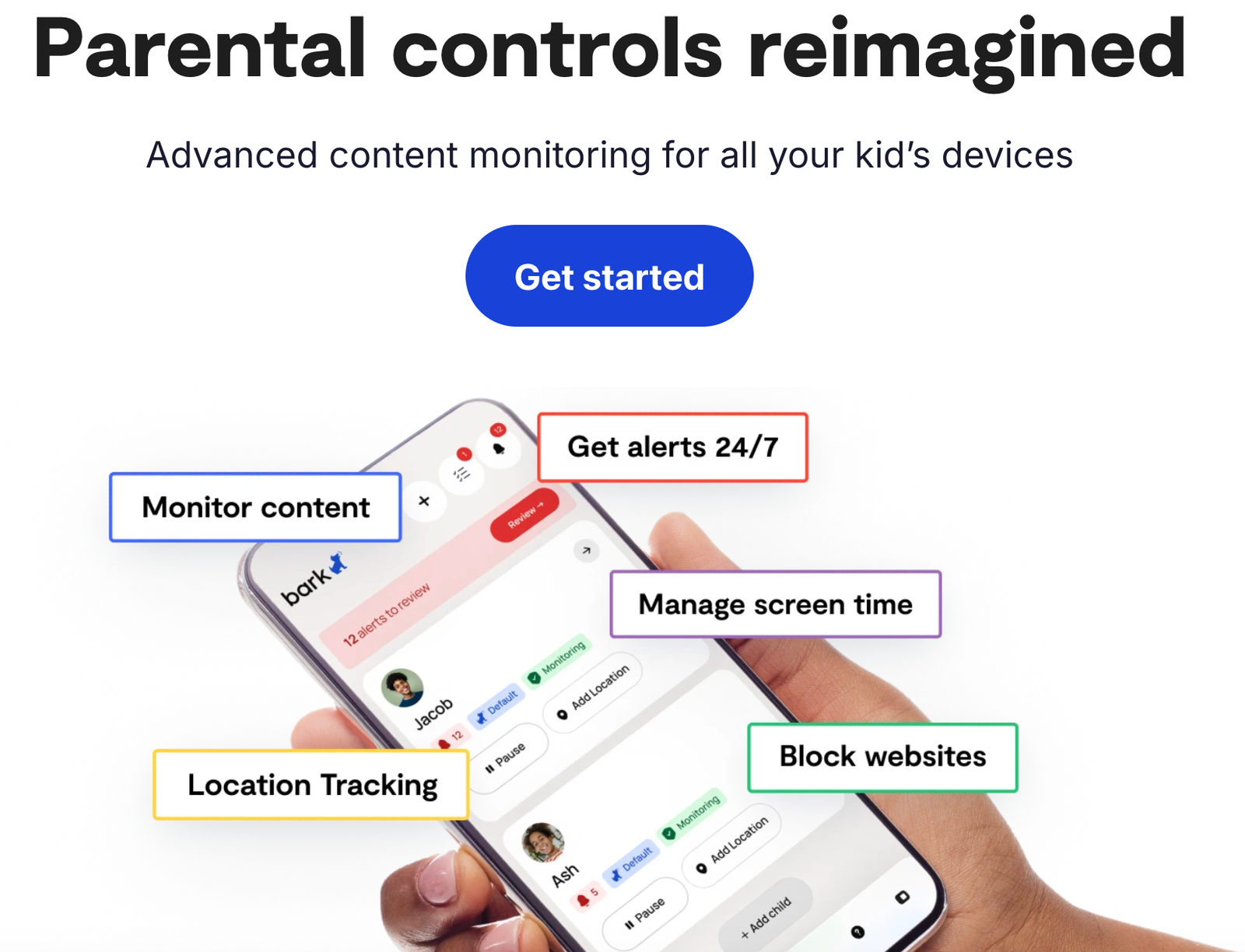
Bark stands out for families who want more than a basic screen time control app. It combines content monitoring, customizable alerts, location features, and practical device rules in one system, which makes it a strong fit for parents of tweens and early teens getting a first smartphone. It is not the cheapest option, and iPhone limits still exist in parts of the category, but many customer reviews describe Bark as the best balance of visibility, setup simplicity, and day-to-day usefulness. Results vary based on device type, settings, and how openly the app is introduced at home.
What We Liked
- Broad monitoring across texts, email, web activity, and many social platforms
- AI-driven alerts can flag concerns like cyberbullying, explicit content, and risky contacts
- Useful mix of monitoring plus screen time, web filtering, and app blocking tools
- Works well for families managing both iPhone and Android devices
- Setup appears more approachable than hardware-dependent alternatives
What Could Be Better
- Some features can vary by device and operating system
- Subscription cost is higher than bare-bones options
- Parents who want a minimal-touch tool may find the dashboard more involved at first
- No parental control app is completely bypass-proof
What Customers Are Saying
Love! love! love! the bark phone!!!! I can’t say enough good things about Bark. This is everything i wanted in a phone for my daughter. You have no idea this moms frustration trying to find something easy and where my kid can’t disable the VPN that makes it work!!! every parent needs this for their kid…of any age!!!!!
I have used the bark app (and now, the bark phone for my youngest) across both droid and apple devices to keep me updated on current lingo and issues that I need to address with my kids for over 5 years. Thank you for the education, extra set of eyes/ears, and your heart, Bark people!
Source: Customer reviews
Results vary; individual experiences may differ.
Is Bark right for you?
Great fit if you:
- Shoppers wanting a more complete approach to parental control app
- Buyers who value the included guarantee and support
- Anyone willing to use the product consistently to judge results fairly
May not be the best fit if:
- Shoppers on a tight budget — see the budget pick at #3
- People needing fast, dramatic results from a single use
Bark Pricing
🔒 60-day money-back guarantee · Free shipping
Pricing shown as of July 2026. Visit the official site for the most current pricing and availability.
#2 Runner-Up: Troomi
Premium alternative for parental control app
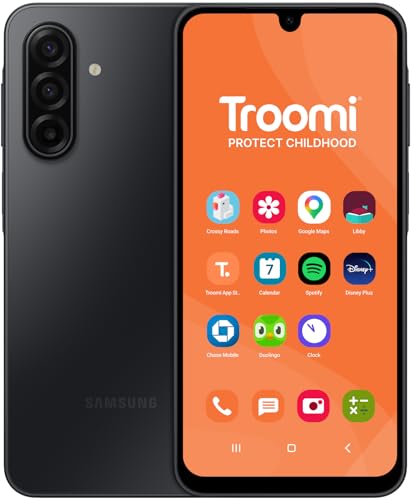
Troomi may appeal to families that prefer a more controlled, kid-safe phone environment from the start, especially for younger children. The tradeoff is cost and ecosystem rigidity. Many customer reviews describe the experience as structured and reassuring, but results vary based on whether a family wants a flexible parental control app or a more locked-down phone approach.
Where Troomi falls short for many shoppers is the price-to-need ratio — the higher upfront cost makes sense for buyers who specifically want a more premium-feeling option, but for the average reader the trade-off rarely justifies the difference. It’s still a reputable pick within parental control app, just better suited to a narrower buyer.
Why It's #2 and Not #1
For most shoppers, Troomi is overkill. It’s positioned for buyers who specifically value the premium experience, and the price reflects that. The biggest difference, though, is that it doesn’t address the underlying issue the way our top pick does — based on the research, that’s what makes the real difference for most readers.
#3 Budget Pick: Gabb Phone
Budget option for parental control app
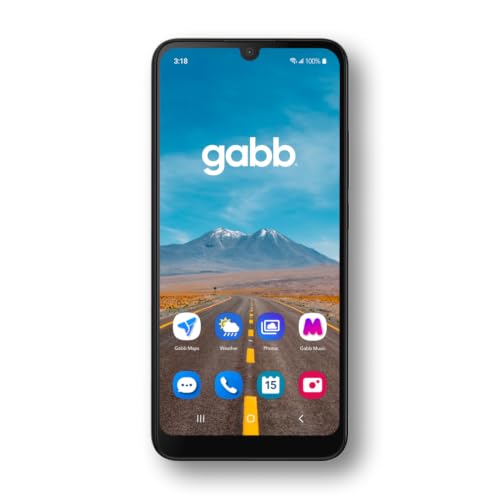
Gabb Phone is the simpler, budget-leaning pick for parents who mainly want calling, location visibility, and a stripped-down device without open app access. It is easier to understand than many full parental control platforms, but it also does less. Some customers say that simplicity is the point, while others may outgrow it once social media and iPhone-style flexibility enter the picture.
Gabb Phone is the cheapest option in this comparison, and it shows: fewer features, simpler design, and less depth of treatment than the higher-ranked picks. For shoppers who only want the bare minimum and don’t expect dramatic results, it’s the most affordable way to get started in parental control app.
Why It's #3
Using Gabb Phone is like changing your oil but never checking the engine — it’s a good habit, but it’s not going to fix problems. It won’t help with deeper issues in parental control app, it offers no money-back guarantee on most listings, and for shoppers who want more than just going through the motions, the difference between it and the top pick is night and day.
Our Pick: Bark
See Bark PricingWhich should you choose?
Choose Bark if you want the best overall balance of value and support. Pick Troomi if you prefer the premium-grade alternative and don’t mind paying more. Go with Gabb Phone if you’re on a tight budget and just need the basics.
Different products may perform better depending on your specific situation, preferences, and budget. Read each review carefully before deciding.
Is Bark worth it?
How does Bark compare to alternatives?
Is there a money-back guarantee?
What kind of phone is the Bark Phone?
While there’s no Bark branding on the outside of the device, a small Bark icon does appear on the lock screen, notification screen, and status bar since Bark provides the cellular service. Any Bark apps can be moved or hidden in folders. The phone itself looks just like any other Samsung device.
Parents can easily manage their child’s Bark Phone from the parent’s Android or iOS device.
Why get a Bark Phone instead of just the Bark app on your own phone?
The Bark Phone also offers exclusive features that the app doesn’t, including:
Contact approvals
App install approvals
Remote alarms
Daily screen time limits
Completely tamper-proof settings